
Enterprise Compliance Guide: Implementing Image and PDF Redaction for Secure Data Handling
Introduction
Global data protection regulations such as the General Data Protection Regulation (GDPR) and the California Consumer Privacy Act (CCPA) have raised the bar for how organizations handle personal data, including images, documents, and user-generated content. For enterprises, even seemingly harmless assets—such as customer support screenshots, employee ID photos, HR records, and scanned identification documents—can contain highly sensitive personal information that triggers regulatory obligations.
Under GDPR, the unlawful processing of personal data can result in administrative fines of up to 4% of global annual turnover or €20 million, whichever is higher. This risk is particularly acute when businesses store, share, or archive unredacted images and PDF files that expose faces, names, identification numbers, addresses, biometric information, or contact details.
A common misconception among compliance and operational teams is that basic visual obscuration equals data protection. In practice, unmasked human faces in customer support screenshots, employee ID records, or internal photo libraries can constitute personal data under GDPR, requiring careful handling, lawful processing, and, where necessary, redacted face policies that prevent unnecessary identification.
This guide explains why ad-hoc masking methods fail, how to build a standard operating procedure for document redaction, and why browser-based, zero-log tools are becoming the safest choice for corporate teams handling sensitive visual and document data.
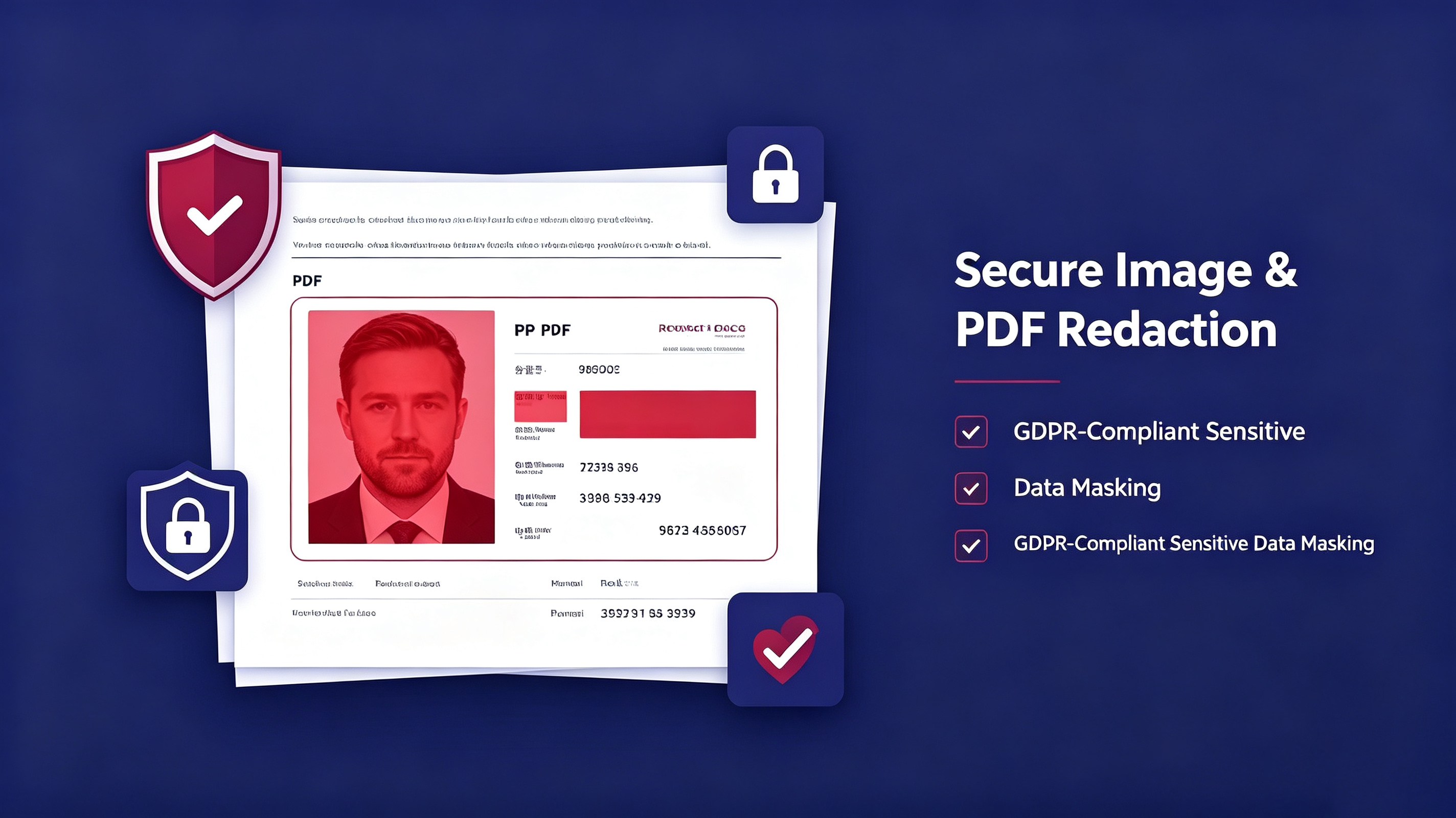
Why Homemade Masking Protocols Jeopardize Your Business
Many organizations rely on makeshift redaction workflows: an employee opens an image in a basic editor, places a black rectangle over a face or text field, covers sensitive data in a word processor, and considers the file compliant. This approach creates a dangerous illusion of security. Poorly executed redactions can often be reversed, exposing the organization to data breaches, regulatory scrutiny, and legal liability.
Several risks are especially relevant:
- Metadata and layer extraction: Many image and PDF editors retain hidden layers, original metadata, or cropped content that can be recovered using forensic tools.
- Incomplete masking: Black rectangles, blurs, or opaque overlays do not always remove underlying data permanently.
- Uncontrolled file sharing: Files redacted without a formal audit trail may be shared internally or externally without proof of compliance.
- Employee error: Without standardized controls, staff may mask the wrong field, miss a sensitive data point, or apply inconsistent redaction policies.
- Legal non-compliance: Regulators expect organizations to demonstrate that personal data has been processed securely and that appropriate technical and organizational measures are in place.
For compliance managers, the greatest danger is not a single visible mistake, but systemic weakness. When every employee can apply their own interpretation of “masking,” the business no longer has defensible evidence of GDPR data masking and secure data handling.
Establishing a Standard Operating Procedure (SOP) for Document Redaction
Enterprises should treat image and PDF redaction not as an occasional admin task, but as a repeatable, auditable security process. A strong redaction SOP ensures that sensitive information is identified, masked, and verified before files are stored, shared, or exported.
A corporate redaction workflow should include three core stages:
Step 1 – Audit
Before redacting any file, teams must identify all sensitive data fields. This includes visible content such as faces, names, employee IDs, user IDs, passport numbers, driver’s license details, addresses, phone numbers, email addresses, and financial information. It also includes less obvious risks such as embedded metadata, geolocation data in images, and hidden text in PDF documents.
Actions:
- Classify files by risk level: public, internal, confidential, restricted.
- Identify all personally identifiable information (PII) and special category data under GDPR.
- Maintain an audit trail of who accessed, reviewed, and redacted each file.
- Define retention schedules for original and redacted assets.
Step 2 – Purge or Mask
Once sensitive data is identified, organizations must decide whether to permanently delete it or apply irreversible masking. For images and PDF files containing faces or personal identifiers, simple blurring or covering is not enough. The redaction must be permanent, so that the underlying data cannot be recovered by technical means.
Actions:
- Apply irreversible color masking to faces, IDs, and text fields.
- Remove or neutralize embedded metadata where possible.
- Avoid partial redaction that leaves contextually sensitive clues.
- Use consistent templates for employee ID photos, customer support screenshots, and scanned documents.
Step 3 – Verify
After redaction, teams must verify that no sensitive data remains exposed. This step is critical for compliance because it provides evidence that the organization has exercised due diligence.
Actions:
- Visually inspect each redacted area.
- Check for missed fields, overlapping content, and hidden layers.
- Test exported files to confirm that redactions cannot be easily reversed.
- Document the verification decision for audit and regulatory purposes.
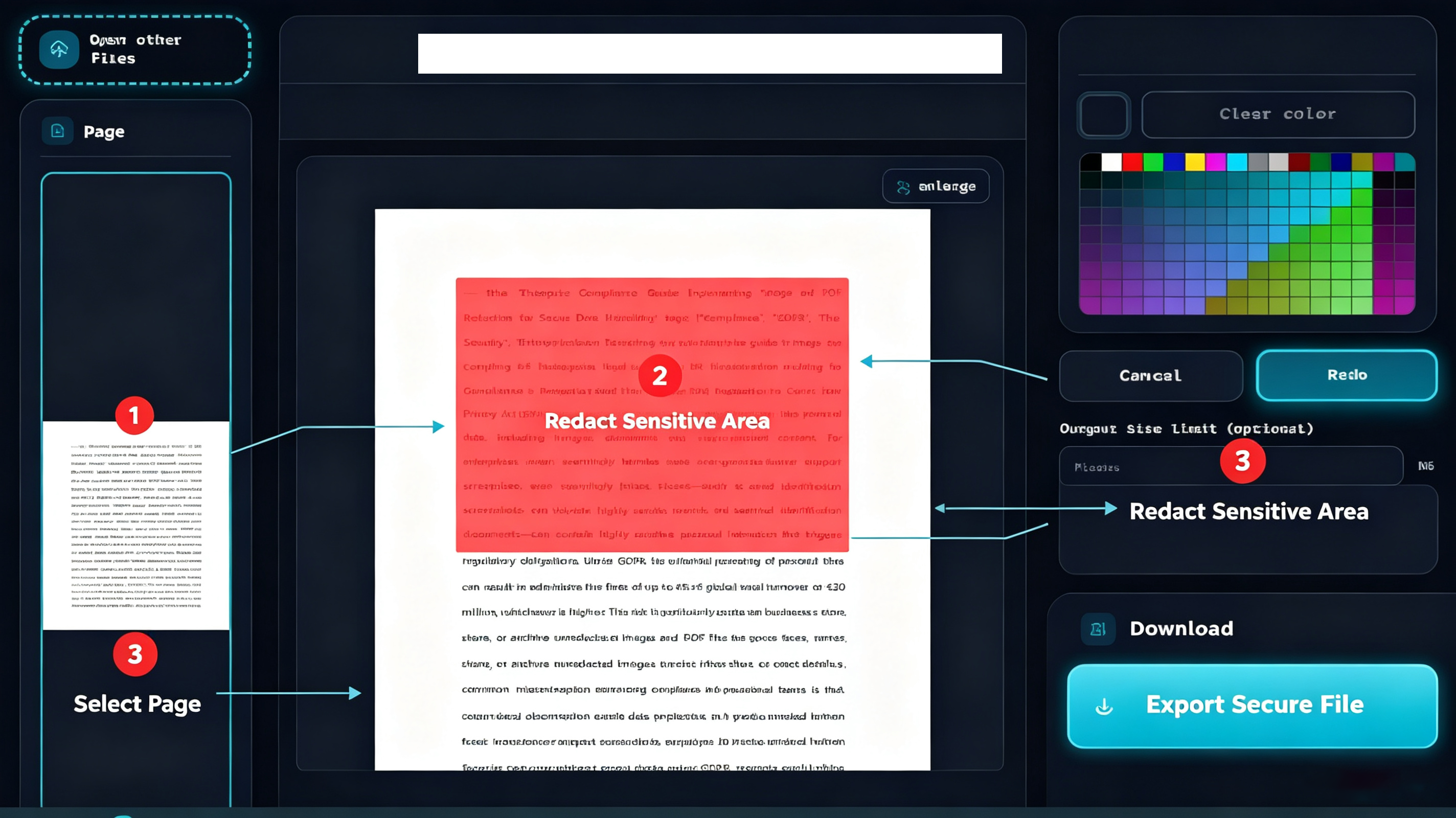
Modern enterprise redaction tools should allow teams to complete these three stages without unnecessary complexity. A clean interface, clear controls, and irreversible masking help reduce human error and make compliance accessible to non-technical teams. Tools such as the Image and PDF Redaction Tool enable corporate users to upload, review, redact, and export files securely in a browser-based environment.
Zero-Log Web Tools: The Safe Choice for Corporate Teams
Downloading and installing untrusted desktop software remains a significant vector for enterprise risk. Many redaction tools require local installation, elevated permissions, file system access, or third-party integrations that can introduce malware, increase attack surfaces, and complicate IT governance.
For corporate teams handling sensitive images and documents, web-based zero-log redaction tools offer a more controlled alternative. These tools operate in the browser, reducing the need for local software deployment and limiting exposure to unvetted applications.
The key advantages include:
- No local installation: IT teams avoid deploying additional software across multiple devices.
- Browser-based access: Users can redact files from standard browsers without specialized training.
- Zero-log architecture: Sensitive files are less likely to be permanently stored on third-party servers after processing.
- Auditable workflows: Actions can be reviewed, approved, and documented within a single session.
- Cross-team usability: Legal, compliance, HR, and customer support teams can use the same process.
- Secure export: Redacted files can be downloaded and stored according to internal data policies.
For organizations that need to redact faces in employee ID photos, mask text in customer support screenshots, or prepare documents for internal and external sharing, a Free Web Redaction Tool can reduce friction while supporting formal compliance requirements.
Conclusion
Effective image and PDF redaction is no longer an optional administrative task. It is a core component of GDPR, CCPA, and enterprise data protection strategy. Poorly masked faces, unredacted screenshots, and unsecured PDF documents can expose organizations to regulatory penalties, data leaks, and reputational damage.
The most reliable approach is to replace homemade masking protocols with a formal three-stage SOP: audit, purge or mask, and verify. By standardizing redaction workflows and using browser-based, zero-log tools, enterprises can reduce human error, strengthen audit trails, and make sensitive information masking accessible to teams that do not specialize in data security.
For compliance managers, HR directors, legal teams, and business owners, the priority is clear: treat every image and PDF file containing personal data as a compliance risk, apply irreversible redaction where necessary, and ensure that the process used can withstand regulatory scrutiny.
title: “Enterprise Compliance Guide: Implementing Image and PDF Redaction for Secure Data Handling” description: “A compliance officer’s guide to GDPR-ready image and PDF redaction. Learn why homemade masking fails audits and how zero-log browser tools protect your enterprise.” pubDatetime: 2026-07-10T08:00:00Z author: ToolVX featured: false draft: false i18nKey: enterpriseComplianceGuide tags:
- compliance
- gdpr
- data-security
- enterprise
Enterprise Compliance Guide: Implementing Image and PDF Redaction for Secure Data Handling
In 2024, the Irish Data Protection Commission fined Meta €1.2 billion for GDPR violations. In 2023, a UK healthcare provider was fined £325,000 after patient faces appeared unredacted in a published report. These are not isolated incidents. They are the cost of inadequate data masking.
For enterprises handling customer IDs, employee records, or support tickets, every image and PDF is a compliance surface. A visible face in a screenshot. An unmasked ID number in a contract. A colleague’s photo embedded in an internal memo. Each one is a potential breach.
This guide provides a compliance-grade framework for implementing image and PDF redaction across your organization — from policy to execution.
Why Homemade Masking Protocols Jeopardize Your Business
Most enterprises believe they have redaction covered. Their staff draws black rectangles in Word. Their support team crops faces in Paint. Their legal team highlights text in Acrobat and calls it done.
None of these methods are compliant.
The Compliance Illusion
A black rectangle drawn in Microsoft Word is a shape layer. The original text or image remains intact beneath it. Any recipient who opens the file in a PDF editor can delete the shape and read the underlying content.
A cropped image in Paint still contains the original pixels in the file’s metadata. EXIF data, thumbnail caches, and recovery software can all restore the “removed” content.
These are not redactions. They are compliance illusions — visual changes that create a false sense of security while leaving sensitive data fully recoverable.
The Metadata Threat
Modern files carry extensive metadata:
- EXIF data in photos: GPS coordinates, device model, timestamps
- Document properties in PDFs: author names, edit history, embedded thumbnails
- Layer data in edited images: original pixels preserved in editable layers
- OCR text in scanned PDFs: searchable text layer beneath the visual content
A 2022 study by the International Association of Privacy Professionals found that 68% of “redacted” documents submitted in legal proceedings contained recoverable sensitive data. The redaction was visual only. The data was still there.
Regulatory Consequences
Under GDPR Article 33, organizations must report personal data breaches within 72 hours. Failure to properly redact sensitive information constitutes a breach — even if no malicious actor accessed the data. The mere existence of recoverable personal data in a shared document triggers reporting obligations.
CCPA imposes similar requirements for California residents’ data. HIPAA mandates strict de-identification standards for protected health information. Across all frameworks, the principle is the same: if the data can be recovered, it was never redacted.
Establishing a Standard Operating Procedure (SOP) for Document Redaction
Compliance is not a tool. It is a process. Enterprises need a documented, repeatable workflow that auditors can verify and employees can follow without training.
Step 1: Audit — Identify Sensitive Content
Before redacting, you must know what needs redacting. Conduct a content audit across all document types:
- Customer-facing materials: Support screenshots, case studies, testimonial photos
- Internal documents: Employee ID cards, org charts, meeting recordings
- Legal filings: Contracts, NDAs, court submissions with embedded personal data
- Marketing assets: Event photos, team pictures, user-generated content
Create a classification matrix:
| Data Type | Risk Level | Redaction Required |
|---|---|---|
| Human faces | High | Mandatory |
| ID numbers | Critical | Mandatory |
| Signatures | High | Mandatory |
| Email addresses | Medium | Context-dependent |
| Internal codes | Low | Optional |
Step 2: Purge/Mask — Apply Irreversible Redaction
Once sensitive content is identified, apply pixel-level redaction. The method matters:
Acceptable methods:
- Solid color fill that overwrites underlying pixels
- Mosaic/blurring that destroys original pixel data
- Complete removal of the image element from the document
Unacceptable methods:
- Shape overlays (rectangles, bars) that can be removed
- Highlighting tools that preserve underlying text
- Cropping without metadata stripping
- “Blurring” filters that can be reversed with deconvolution algorithms
The key test: Can the original content be recovered from the redacted file? If yes, the redaction failed.
Step 3: Verify — Confirm Irreversibility
After redaction, verify the output:
- Open the redacted file in a different application (e.g., if redacted in a browser tool, verify in a PDF reader)
- Attempt to select text beneath redaction blocks
- Check document properties for embedded thumbnails or metadata
- Use a metadata extraction tool to scan for residual data
- Have a second team member independently verify the redaction
Document each verification step. This audit trail demonstrates due diligence during regulatory inspections.
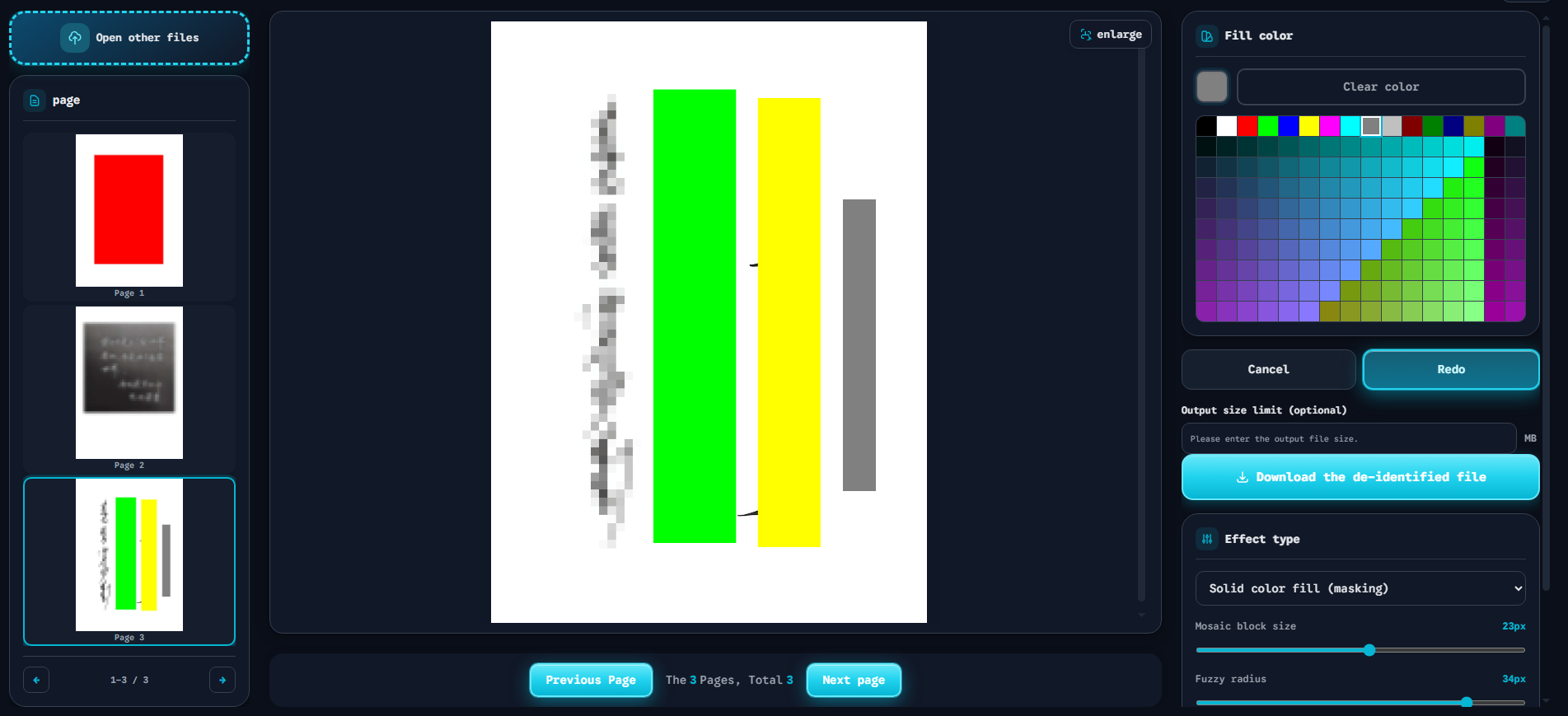
The screenshot above shows a browser-based redaction interface suitable for enterprise deployment. The right-hand panel provides clear, irreversible masking controls — Solid color fill, Mosaic, and Fuzzy radius — without requiring software installation or training. The Download the de-identified file button exports the final asset with all original pixel data destroyed. This is the type of frictionless, auditable tool that compliance teams should standardize on.
Zero-Log Web Tools: The Safe Choice for Corporate Teams
When evaluating redaction tools for enterprise use, the deployment model matters as much as the redaction quality.
The Risk of Desktop Software
Downloading third-party desktop applications introduces significant security risks:
- Malware vectors: Unverified installers may contain trojans or keyloggers
- Update vulnerabilities: Outdated software becomes an attack surface
- License compliance: Pirated software exposes the organization to legal liability
- IT overhead: Deployment, updates, and support across hundreds of endpoints
For a task as simple as redacting a PDF, these risks are disproportionate.
Why Browser-Based, Zero-Log Tools Win
Modern browser-based redaction tools operate entirely client-side. The architecture is fundamentally different from cloud services:
| Feature | Cloud Service | Browser-Based Tool |
|---|---|---|
| File upload | Required | None |
| Server storage | Yes (liability) | None |
| Data transmission | Over network | Local only |
| Audit trail | Provider-dependent | Self-contained |
| Compliance burden | Shared responsibility | Minimal |
When a tool runs 100% in the browser using HTML5 Canvas and JavaScript, the file never leaves the user’s device. There is no server to breach. No transmission to intercept. No logs to subpoena.
This is not a convenience feature. It is a compliance architecture.
Implementing Enterprise-Wide Adoption
To deploy a browser-based redaction tool across your organization:
- Standardize the tool: Add the Free Client-Side Image and PDF Redaction Tool to your approved software list. No installation required — just a bookmark. For a full evaluation, see our image redaction software review.
- Document the SOP: Incorporate the 3-step workflow (Audit, Purge/Mask, Verify) into your data handling policy.
- Train key personnel: Compliance officers and team leads should understand the difference between visual overlays and pixel-level redaction.
- Audit periodically: Sample redacted documents quarterly to verify irreversible masking.
- Update policies: As regulations evolve (AI Act, state-level privacy laws), ensure your redaction standards keep pace.
Conclusion
Enterprise data compliance is not optional. The regulatory landscape is expanding, penalties are increasing, and the technical bar for “adequate redaction” is rising.
Homemade masking protocols create liability. Desktop software introduces risk. Cloud services add compliance burden. The solution is a zero-log, browser-based tool that performs irreversible pixel-level redaction without leaving your network.
Quick Answer: Enterprise image and PDF redaction requires pixel-level data destruction — not visual overlays. A compliant SOP follows three steps: Audit sensitive content, apply irreversible masking (solid fill or mosaic), and verify irrecoverability. Browser-based, zero-log tools eliminate server-side risk while providing auditable, training-free deployment for corporate teams.
For compliance managers evaluating their current redaction practices: if your team is drawing rectangles in Word or cropping in Paint, you are not compliant. The data is still there. The question is not if it will be discovered — but when.