
GDPR, HIPAA & CCPA: Choosing Compliant Browser Redaction Tools
Regulations do not name specific software products. GDPR does not certify redaction apps. HIPAA does not publish a shopping list of browser tools. Instead, these frameworks ask whether your processing activities respect defined principles: minimize data, protect it in transit and at rest, document what you do with it, and give individuals appropriate rights over their information.
Redaction sits at an interesting intersection. You are intentionally removing personal data before disclosure鈥攅xactly what data-minimization advocates. Yet the method you use can undermine that goal if the original, unredacted file is uploaded to a cloud processor along the way. A tool that processes documents entirely in the browser aligns more naturally with regulatory expectations than one that silently copies files to a vendor’s servers.
This guide explains how GDPR, HIPAA, and CCPA each frame document handling, why browser-local redaction supports compliance narratives, and what you should document before distributing redacted PDFs or images.
Shared Principles Across GDPR, HIPAA, and CCPA
Although the three regimes differ in scope and enforcement, they converge on several ideas that matter for redaction tooling:
- Collect and process only what you need 鈥?redaction is an act of reduction, not expansion.
- Apply appropriate safeguards 鈥?technical measures should match sensitivity.
- Be transparent 鈥?individuals and regulators should understand what happens to data.
- Limit disclosure 鈥?sharing a redacted file should not re-introduce risk through hidden layers or metadata.
Choosing a redaction tool is therefore a safeguard selection decision. The wrong tool can create a processing activity you never documented鈥攁n upload you did not disclose in your privacy notice.
GDPR: Data Minimization and Processor Relationships
The General Data Protection Regulation applies to organizations handling personal data of individuals in the European Economic Area and UK. Article 5 sets out principles including data minimization and integrity and confidentiality. Article 32 requires appropriate technical and organizational measures.
Upload-Based Redaction as a Processing Activity
When you upload a PDF containing names, email addresses, or national identifiers to a cloud redaction service, you typically trigger a processing activity in which the vendor acts as a data processor (or, in some cases, an independent controller). That means:
- A Data Processing Agreement (DPA) may be required under Article 28.
- International transfers may need Standard Contractual Clauses or another lawful mechanism if servers sit outside the EEA.
- Your Record of Processing Activities (ROPA) must list the vendor, purpose, categories of data, and retention.
If the same redaction happens locally in the user’s browser鈥攚ith no transmission of the document contents to a third party鈥攖he processing chain shortens dramatically. The primary processing may remain entirely within your organization or on the data subject’s own device, reducing processor overhead for that specific task.
Documentation GDPR Teams Appreciate
When you adopt browser-local redaction, your compliance file can note:
- Purpose: Preparing anonymized or pseudonymized copies for external sharing.
- Lawful basis: Often legitimate interests or contractual necessity, depending on context.
- Technical measure: Client-side processing; source files not transmitted to ToolVX or similar vendors.
- Output verification: Masks are flattened; underlying text is not recoverable via copy-paste.
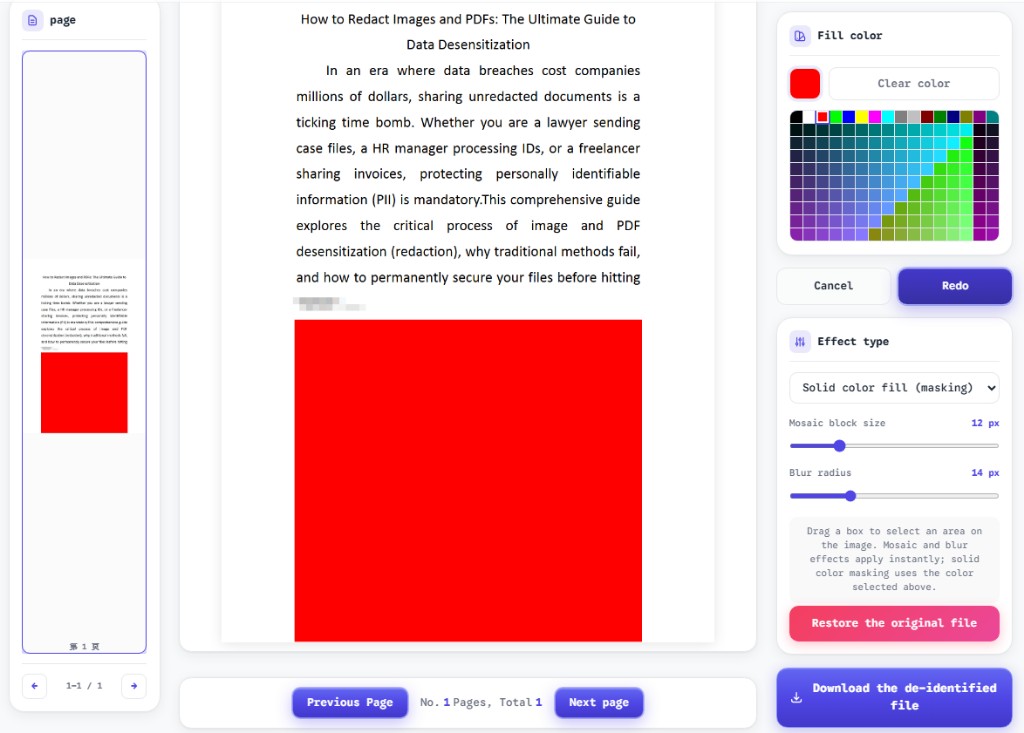
The ToolVX redaction editor is built for this model: files stay on the device, and exported PDFs embed permanent blackout, blur, or mosaic effects.
HIPAA: PHI, Business Associates, and the Minimum Necessary Standard
The Health Insurance Portability and Accountability Act governs Protected Health Information (PHI) in the United States healthcare ecosystem. Covered entities and their business associates must implement administrative, physical, and technical safeguards under the Security Rule, and limit uses and disclosures under the Privacy Rule鈥攊ncluding the minimum necessary standard.
When Cloud Redaction Implicates a BAA
If a vendor receives PHI鈥攅ven temporarily鈥攖o redact a medical record, that vendor is generally a business associate. A Business Associate Agreement (BAA) must be in place before the transfer. Many consumer-grade “PDF editors” in app stores do not sign BAAs. Uploading a clinical note to such a service can be a reportable compliance gap.
Browser-local redaction avoids transmitting PHI to the tool provider for the editing step itself. The covered entity’s workstation or approved endpoint becomes the sole environment where PHI is manipulated. This does not eliminate all HIPAA obligations鈥攜ou still must control device security, access, and downstream sharing鈥攂ut it removes an entire class of vendor risk for the redaction operation.
Practical HIPAA-Oriented Checklist
| Control area | Cloud upload tool | Browser-local tool |
|---|---|---|
| BAA required for redaction step | Typically yes | No (no PHI sent to vendor) |
| Transmission of PHI | Over internet to vendor | Not applicable for file contents |
| Audit logging | Split between you and vendor | Endpoint logs under your policies |
| Minimum necessary | Harder to prove if full file uploaded | Full file stays local; only redacted export shared |
| Employee training | Must cover vendor risk | Must cover correct redaction technique |
Remember: HIPAA also cares whether redaction is real. A black shape floating above searchable text is not de-identification. Solid fill that destroys the text layer supports a stronger compliance story.
CCPA/CPRA: Consumer Rights and Service Provider Rules
The California Consumer Privacy Act, as amended by the CPRA, grants consumers rights over personal information and imposes duties on businesses that collect it. When a business uses a service provider to process personal information on its behalf, contractual restrictions apply. Selling or sharing data without notice can trigger liability.
Redaction Before Disclosure
CCPA encourages limiting what you disclose. Redacting names, account numbers, and precise geolocation from a document before publishing a customer case study is consistent with consumer expectations. However, if the redaction tool itself receives the full unredacted file as part of its service, you have shared personal information with that provider鈥攑otentially requiring disclosure in your privacy policy and assessing whether the vendor qualifies as a service provider under contract.
Local browser processing supports a cleaner narrative: the business (or consumer) performs redaction without disclosing the underlying personal information to an additional party. For small businesses without legal teams to negotiate vendor contracts, that simplicity has real value.
CPRA Sensitive Personal Information
CPRA introduces heightened rules for sensitive personal information鈥攊ncluding government identifiers, financial account details, and precise geolocation. Documents subject to redaction often contain exactly these categories. Minimizing copies of such documents on third-party systems is a straightforward risk-reduction strategy aligned with CPRA’s emphasis on purpose limitation.
What to Document Before Sharing Redacted Files
Compliance is not only about picking the right tool. It is about demonstrating a defensible process. Before you email, publish, or archive a redacted document, capture the following:
1. Redaction Scope
List which categories of data were removed: direct identifiers, quasi-identifiers, financial fields, images of faces, and so on. If you followed a statutory de-identification standard (for example, HIPAA Safe Harbor fields), reference the checklist you applied.
2. Tool and Processing Location
Record the product name, version or URL, and a statement that processing occurred locally. Example: “Redacted using ToolVX browser editor at /redact-preview; file was not uploaded to any server.”
3. Effect Type and Verification
Note whether you used solid fill, mosaic, or blur. Describe verification steps: attempted text selection, search for known strings, visual inspection of metadata. Solid fill on PDF text provides the strongest evidence of destruction.
4. Recipient and Purpose
Document why the redacted copy is being shared and to whom. Redaction reduces risk; it does not eliminate governance over downstream use.
5. Retention of Unredacted Source
The original file may still be subject to retention schedules and access controls. Redacting a copy does not automatically delete the master record. Your policy should address both.
Evaluating Vendors: Questions Compliance Officers Should Ask
Whether you are procuring enterprise software or approving a free web tool for staff, ask:
- Does the tool upload document contents to your servers? If yes, obtain DPAs, BAAs, or service provider agreements as applicable.
- Is redaction permanent or cosmetic? Demand flattening or rasterization, not annotation layers.
- What metadata remains in the export? Author names, GPS coordinates in images, and custom properties can leak context.
- Can users work offline after load? Offline-capable client-side tools reinforce the no-upload claim.
- How do you handle subprocessors and logging? Local tools should have minimal backend involvement for the editing function.
Tools that fail the first question are not automatically non-compliant鈥攂ut they trigger a heavier paperwork burden than browser-local alternatives.
Common Compliance Mistakes in Redaction Workflows
Mistake 1: Treating Highlighting as Redaction
Yellow highlight with black text underneath fails every framework’s confidentiality test. Train users on true destruction techniques.
Mistake 2: Ignoring Hidden PDF Layers
Forms, comments, and embedded attachments may survive visual masking. Export a flattened PDF when distributing externally.
Mistake 3: Using Personal Cloud Accounts for Work PHI
Uploading a patient list to a consumer drive “just to redact it” creates unauthorized disclosure. Keep health data inside approved workflows.
Mistake 4: Skipping Verification
Regulators and opposing counsel increasingly test redacted files. Build a quick QA step into your SOP.
Mistake 5: Over-Collecting Before Redacting
If you only need three fields from a 40-page record, extract those fields locally rather than shipping the entire record to a vendor for convenience.
Aligning Tool Choice with Organizational Maturity
Startups and solo practitioners often lack dedicated privacy counsel. Browser-local redaction provides a practical default that avoids processor agreements for the editing step while still producing shareable outputs. Enterprises with mature vendor management may combine local tools for ad hoc tasks with governed cloud platforms for bulk litigation holds鈥攑rovided each path is documented in the ROPA and risk register.
The unifying requirement across GDPR, HIPAA, and CCPA is not a specific brand name. It is accountability: can you explain what happened to personal data at each step, and did you choose measures proportionate to the risk?
Conclusion
Regulatory compliance and effective redaction point toward the same technical ideal: handle the minimum data necessary, in the most controlled environment available, and prove that sensitive content was actually destroyed鈥攏ot merely hidden.
Browser-local redaction supports data-minimization arguments under GDPR, reduces business-associate exposure under HIPAA, and simplifies service-provider analysis under CCPA. Pair the right tool with clear documentation, verification, and retention policies, and you transform redaction from a cosmetic edit into a defensible compliance control.
Start with solid fill, mosaic, or blur in the free Free Client-Side Image and PDF Redaction Tool — process PDFs and images entirely on your device, then export flattened files ready for audited sharing. For a full evaluation of compliant tools, see our image redaction software review. For a deeper workflow covering enterprise SOPs and compliance documentation, read our enterprise compliance guide.