
Local vs. Cloud Redaction: A Privacy Analysis for Sensitive Documents
When you need to hide a Social Security number, a patient name, or a client’s bank details before sharing a document, the tool you choose matters as much as the black box you draw. Most “online redaction” services ask you to upload the very file you are trying to protect. That single action creates a copy of your data on someone else’s infrastructure鈥攐ften in another country, under another legal regime, and outside your direct control.
Browser-local redaction flips that model. Your PDF or image stays on your device from the moment you open it until you download the finished file. Processing happens in memory inside your web browser, not on a remote server farm. For anyone handling contracts, medical records, financial statements, or identity documents, understanding the difference between local and cloud processing is not academic鈥攊t is a practical privacy decision.
Why Redaction Location Defines Your Risk Profile
Redaction is not merely an editing task. You are deliberately destroying information so it cannot be recovered. If the original file travels to a cloud service before that destruction happens, you have already expanded your attack surface. A breach at the vendor, a misconfigured storage bucket, a rogue employee, or a lawful government request directed at the provider can expose content you believed was being handled privately.
Local redaction narrows the problem to a single environment: your computer or phone. There is no intermediary holding a copy while you work. There is no queue of uploaded files waiting in a temp directory on a shared server. When you close the browser tab, the in-memory working copy disappears unless you explicitly save an export.
The Cloud Upload Chain of Custody
Every cloud redaction workflow follows a similar pattern:
- You select a file and send it over HTTPS to the provider.
- The server stores it鈥攖emporarily or not鈥攊n object storage or a processing queue.
- A backend worker opens the document, applies masks, and renders an output.
- You download the result while the vendor’s retention policy decides when the original is deleted.
Each step introduces parties and systems that never existed in a purely local workflow. Even reputable vendors with strong security programs cannot eliminate the fundamental fact that your sensitive document left your control.
What “Local” Actually Means in the Browser
True browser-local redaction uses client-side technologies鈥攖ypically WebAssembly, Canvas, or PDF rendering libraries鈥攖o parse and modify files entirely on your machine. Network requests after the initial page load should be limited to static assets, not your document bytes. You can verify this yourself: open your browser’s developer tools, switch to the Network tab, upload a test PDF, and confirm that no request carries the file body to a third-party domain.
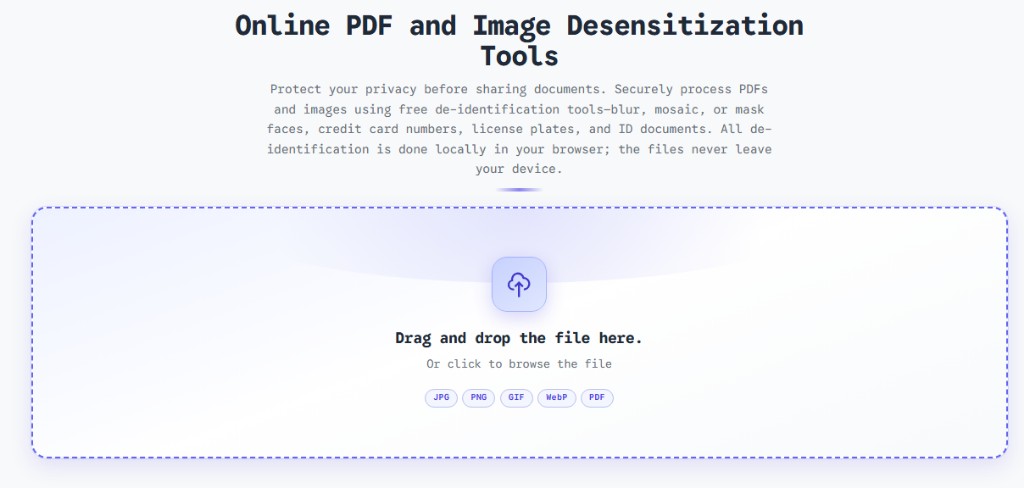
Tools like the ToolVX redaction editor are designed around this constraint. You drag in a PDF or image, draw redaction regions, choose blur, mosaic, or solid fill, and export鈥攚ithout a server ever receiving the source material.
Comparing Local and Cloud Redaction
The table below summarizes how the two approaches differ across dimensions that privacy officers, legal teams, and security-conscious freelancers actually care about.
| Dimension | Browser-local redaction | Cloud-based redaction |
|---|---|---|
| Data residency | File remains on your device | File copied to vendor infrastructure |
| Third-party access | No processor beyond your browser | Vendor staff, subprocessors, cloud host |
| Offline capability | Works after page load (no upload step) | Requires network for file transfer |
| Breach impact | Limited to your endpoint | Potentially affects all uploaded files |
| Regulatory framing | Easier to argue data minimization | Requires DPA, SCCs, BAA, or equivalent |
| Audit trail | You control logs on your system | Depends on vendor transparency |
| Speed for large files | Bounded by local CPU/RAM | Bounded by upload bandwidth + queue |
None of this means every cloud service is negligent. Many invest heavily in encryption, access controls, and compliance certifications. The question is whether you need to accept that residual risk at all when an alternative exists.
Threat Scenarios Cloud Users Underestimate
Insider and Subprocessor Exposure
Cloud providers rely on chains of subprocessors鈥攈osting companies, CDNs, analytics vendors, support tooling. Your uploaded contract may pass through several legal entities. Local processing removes that chain for the redaction step itself.
Metadata and Hidden Layers
PDFs carry more than visible text. Embedded fonts, annotations, revision history, and XMP metadata can survive naive “draw a black rectangle” edits. A competent local tool rasterizes or flattens masked regions so underlying content is destroyed. Cloud tools vary widely; some merely overlay graphics without removing the text layer, creating fake redaction that fails under forensic review.
Jurisdiction and Government Access
When data sits on servers in another country, it may be subject to that country’s surveillance or data-access laws. Organizations bound by GDPR, HIPAA, or sector-specific rules must document where processing occurs. Keeping redaction on-device can simplify those assessments because no cross-border transfer occurs for the editing operation.
Retention You Cannot Verify
Privacy policies promise deletion after 24 hours or 30 days. In practice, backups, disaster-recovery snapshots, and debugging logs may persist longer. With local tools, retention is whatever you choose to keep on your own storage.
When Cloud Redaction Might Still Appear Attractive
Honest analysis requires acknowledging trade-offs. Cloud services sometimes offer:
- Batch automation across thousands of documents with server-side OCR
- Team collaboration where multiple reviewers annotate the same hosted file
- Integrated e-discovery tied to enterprise document management
For high-volume, low-sensitivity workflows鈥攎arketing PDFs with minor PII鈥攎anaged cloud processing may be acceptable with a signed data processing agreement. For source documents that are inherently confidential鈥攎edical imaging reports, M&A due diligence, whistleblower evidence鈥攍ocal redaction is often the safer default.
Building a Local-First Redaction Workflow
Adopting browser-local redaction does not require sacrificing quality. A practical workflow looks like this:
Step 1: Classify the Document
Before opening any tool, label the sensitivity level. Highly restricted material should never touch a upload-based service. Moderately sensitive files might use cloud tools only if contractually covered.
Step 2: Choose Permanent Masking Effects
Superficial highlights are not redaction. Use effects that destroy pixels:
- Solid fill (blackout) for maximum certainty on text and numbers
- Mosaic (pixelation) when you need to show context without revealing detail
- Gaussian blur for faces or backgrounds where softer masking is enough
The ToolVX redaction tool exposes all three so you can match the effect to the content type.
Step 3: Verify Before Sharing
After export, reopen the file and attempt to select or search redacted text. Copy masked regions into a text editor. If anything leaks through, re-export with stronger flattening. Local tools that bake masks into the rendered page make this verification straightforward.
Step 4: Document Your Process
Compliance reviewers increasingly ask how redaction was performed, not just whether a black bar appears. Note that processing was local, which tool was used, and that no upload occurred. This documentation pairs well with privacy frameworks that emphasize data minimization.
Technical Signals of a Trustworthy Local Tool
When evaluating any redaction product, look for concrete signals:
- Open network tab proof 鈥?no file POST requests during editing
- Offline functionality 鈥?disconnect Wi-Fi after loading the page; editing should continue
- Flattened output 鈥?exported PDFs should not contain selectable text under masks
- No account requirement 鈥?account systems often imply server-side history
- Transparent privacy policy 鈥?explicit statement that files are not transmitted
If a service cannot clearly affirm local processing, assume uploads occur.
Organizational Policy Recommendations
Security and privacy teams can codify local-first redaction without banning cloud tools outright:
- Default rule: Employee-facing guidance should list browser-local tools as the standard for PII, PHI, and financial data.
- Exception process: Cloud redaction requires written approval, a vendor risk assessment, and an active DPA.
- Training: Teach staff that “online” does not have to mean “uploaded.” Browser-based can still be local.
- Periodic audits: Sample redacted outputs to confirm masks are permanent, not cosmetic.
The Bottom Line
Cloud redaction trades convenience and enterprise features for an expanded trust boundary. Every upload is a decision to share your most sensitive content with a third party, however briefly. Browser-local redaction keeps that boundary at your keyboard.
For individuals redacting a tax form before emailing an accountant, for freelancers masking client addresses on portfolio samples, and for compliance teams preparing external-facing versions of internal reports, the privacy analysis points in the same direction: if the file can stay in your browser, it should.
Try local redaction now with the free Free Client-Side Image and PDF Redaction Tool — blur, mosaic, or blackout sensitive areas in PDFs and images with zero server uploads and permanent, flattened output you can share with confidence. For a full comparison of redaction software options, see our image redaction software review. Questions about whether redacted data can be recovered? Our PDF redaction FAQ covers the most common myths and security concerns.