
Can You Remove Redaction from Image Online Free? The Shocking Truth About Image Privacy
Are you searching for a way to remove redaction from image online free tools? While many web apps claim they can unredact photos instantly, the technical reality is highly dependent on how the image was originally masked.
The short answer: if the redaction was done correctly, it cannot be reversed. But if it was done poorly, your “hidden” data may already be exposed. This article explains exactly why.
The Technical Reality: Is It Actually Possible to Remove Redaction?
Let us start with the core computer science constraint.
When an image undergoes genuine secure pixel erasure, the original pixel values are permanently overwritten. A solid black or red hex color replaces every byte of the original data. The information no longer exists in the file.
Why True Redaction Is Irreversible
- No data to recover — AI cannot reconstruct pixels that have been overwritten. There is nothing to decrypt.
- No hidden layers — Proper redaction flattens the image. There are no separate layers to peel back.
- No metadata trail — The original pixel values are not stored anywhere in the file structure.
This is a fundamental law of digital imaging. You cannot undo image redaction when the source data has been destroyed. It is the same as trying to un-bake a cake.
When Redaction CAN Be Reversed
There is one critical exception. If the masking was applied as a separate overlay layer rather than a permanent pixel alteration, the original data still exists beneath it. In that case, removing the layer reveals everything.
This distinction is the difference between security and a catastrophic data leak.
The iPhone Markup Danger: Why Poorly Masked Images CAN Be Uncovered
Most people do not realize their phone’s markup tool is not a redaction tool. It is a drawing tool. And that distinction has serious consequences.
How iPhone Markup Fails
When you use the iPhone’s built-in highlighter or marker to cover sensitive text, the app adds a translucent vector layer on top of the original image. The underlying pixels remain completely untouched.
Anyone can reveal this “hidden” text using basic photo editing techniques:
- Increase contrast — Pushing the contrast slider to maximum makes translucent overlays nearly invisible.
- Adjust exposure — Brightening the image reveals text beneath semi-transparent black brushes.
- Invert colors — Color inversion exposes the original content under colored markers.
This is why thousands of people search for “how to see under black markers on iPhone” every month. The answer is simple: adjust the brightness and contrast. The “redacted” text appears instantly.
Real-World Consequences
This vulnerability has caused major data leaks:
- Legal documents — Lawyers using iPad markup to redact court filings had sensitive information exposed by contrast adjustment.
- Government records — Officials using smartphone editors to mask IDs left personal data recoverable by anyone with a photo editor.
- Corporate screenshots — Employees sharing “redacted” internal documents accidentally exposed financial data and internal codes.
If you are using your phone’s markup tool to hide sensitive information, your data is not safe.
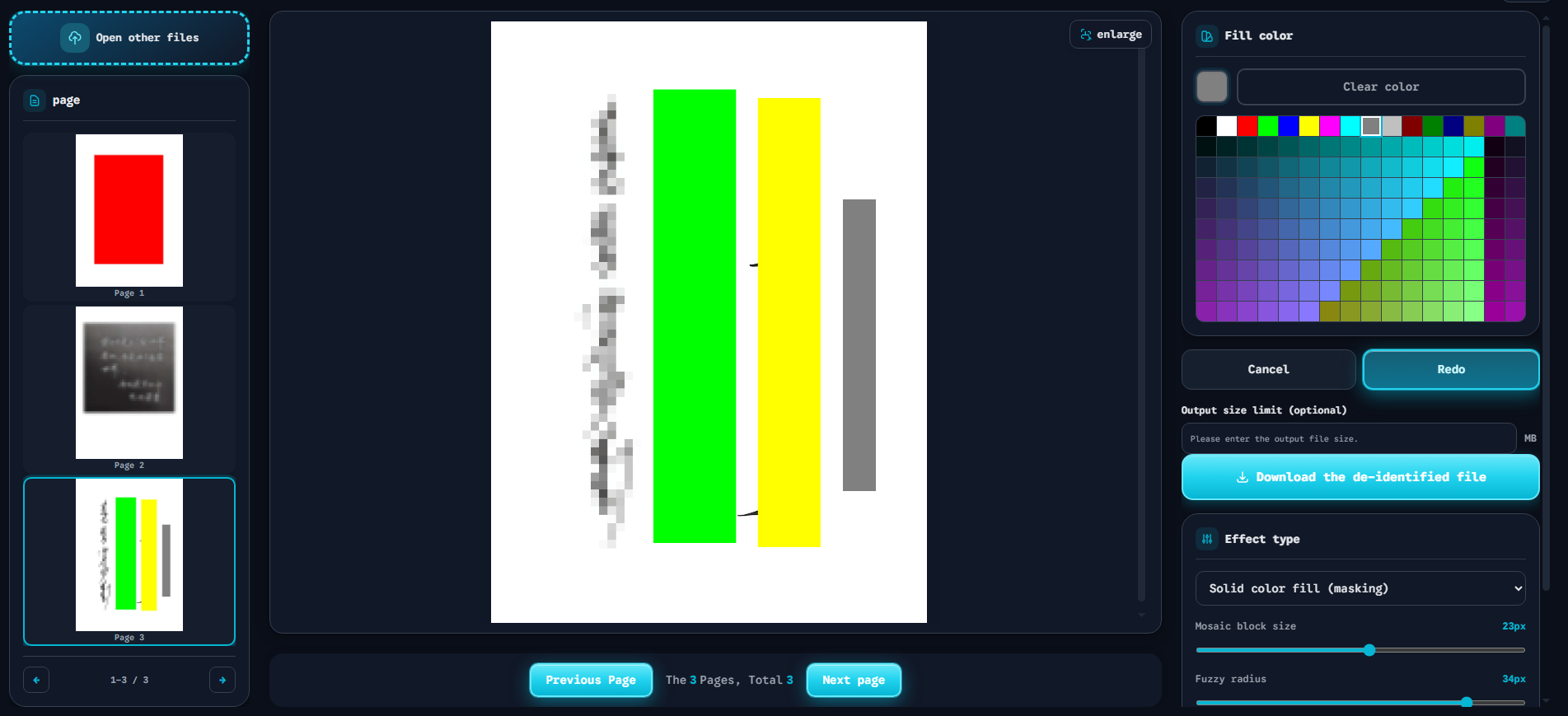
The interface above demonstrates the correct approach. Notice the Solid Fill feature — the solid red block covering the document. This is not a translucent overlay. It permanently overwrites every pixel byte in the selected area. No contrast adjustment can reveal what lies beneath. No AI can reconstruct the original data. The redaction is mathematically irreversible.
This is what secure pixel erasure looks like. Anything less is a data leak waiting to happen.
Don’t Risk Your Data on “Unredact” Scam Websites
Here is the most dangerous part of this story.
When people search for ways to remove redaction from image online free, they encounter dozens of websites promising instant unredaction. These sites are almost always scams. Here is what they actually do:
The Malware Trap
- Data harvesting — You upload your “redacted” document out of curiosity. The site stores a copy permanently.
- Credential theft — Many sites require you to create an account or install a browser extension.
- Ransomware distribution — Some “unredact tools” download malicious executables disguised as photo editors.
- Phishing kits — Fake tool interfaces collect your email, phone number, and payment information.
The False Promise
Even if the site is not malicious, it cannot do what it claims. As explained above, truly redacted images cannot be unredacted. These sites either:
- Do nothing — Return your file unchanged and collect your data.
- Exploit poor redaction — Only “work” on images masked with reversible overlays (which you could do yourself with a contrast slider).
- Install malware — The download contains trojans, keyloggers, or ransomware.
Never upload sensitive documents to any website claiming to unredact photo online. The risk far outweighs any possible benefit. Instead, learn the correct workflow in our complete guide to photo redaction.
Conclusion: Prevention Is the Only Solution
Since recovering a truly redacted file is impossible, the only winning strategy is prevention. Do not rely on phone markup tools. Do not trust “free unredact” websites. Use a tool that performs secure pixel erasure from the start.
How to Protect Your Data
The Free Client-Side Image and PDF Redaction Tool solves this problem completely:
- 100% client-side processing — Your files never upload to a server. All redaction happens in your browser.
- Permanent pixel overwrite — Solid Fill, Mosaic, and Blur options all permanently alter pixel data. No reversible layers.
- Zero registration required — No email, no account, no tracking. Open the URL and start working.
- Completely free — No paywalls, no watermarks, no hidden fees.
The Bottom Line
If you need to hide sensitive data in an image or PDF, do it right the first time. Use a tool that destroys the original pixels permanently. The Free Client-Side Image and PDF Redaction Tool gives you enterprise-grade security with zero cost and zero risk. For a full comparison of redaction software options, see our image redaction software review.
Do not wait for a data leak to learn this lesson. Protect your files now.